Receipt not posted: lot number format not recognized.
A line like that can sit on an ERP's error list while the product it names is already on the shelf, scanned and accepted at the dock. Almost any system on your shortlist can read a label, so the best barcode inventory software for a business already on an ERP is the one with good answers about what happens next: where the transaction posts and how soon it gets there, and who fixes it when it is refused.
Barcode inventory software turns each scan into an inventory transaction (a receipt, a move, a pick, a count or a shipment) against a specific item and location, and in most setups passes it on to the system that keeps the books. GS1, the organization behind the GS1 barcode standards, describes barcodes as letting manufacturers and others "automatically identify and track products as they move through the supply chain." A barcode carries only a value, and the software decides what that value means and which system records it.
This list is written for a business that has switched on the ERP's barcode option, or bought the scanners, and still types receipts in from paper and recounts bins before anyone will trust them. Endpoint's other barcoding posts cover the scanning side. The checks here follow one receipt, a pallet scanned in against a single purchase order line, from the handheld to the ledger.
Three kinds of software, and where each one sends the scan
The software comes in three kinds, and each was built around a different record.
| ERP's own barcode option | Standalone inventory app | Directed warehouse software | |
|---|---|---|---|
| Built around | The financial record | Stock levels and reorder points | The physical work |
| What a scan does | Enters or confirms an ERP transaction; some modules also check it against the order | Updates stock levels in the app | Checks it against what was expected |
| Where the result goes | The ERP directly | The app's own records, sometimes synced to accounting software | Inside the ERP, or sent to it |
The columns describe where each kind of software starts, and plenty of products reach into the next one.
If you plan to keep your ERP, start with the barcode scanning software its vendor already sells. Acumatica, for example, sells a Warehouse Management module that covers receiving, putaway, picking, packing and shipping with mobile barcode scanning. For a single site with straightforward orders and a team that already scans, a module like that can be the right tool, and items 5, 9 and 11 below are the ones most likely to tell you whether it is enough. Endpoint's page on where an ERP module stops and warehouse software starts goes into the difference in more detail.
What to check in barcode inventory software
The checks are grouped by how far the receipt has traveled from the dock, which is also, in my experience, roughly the order in which vendors' answers become less precise.
At the scan
The pallet is at the dock door, and the receiver scans it against the purchase order line.
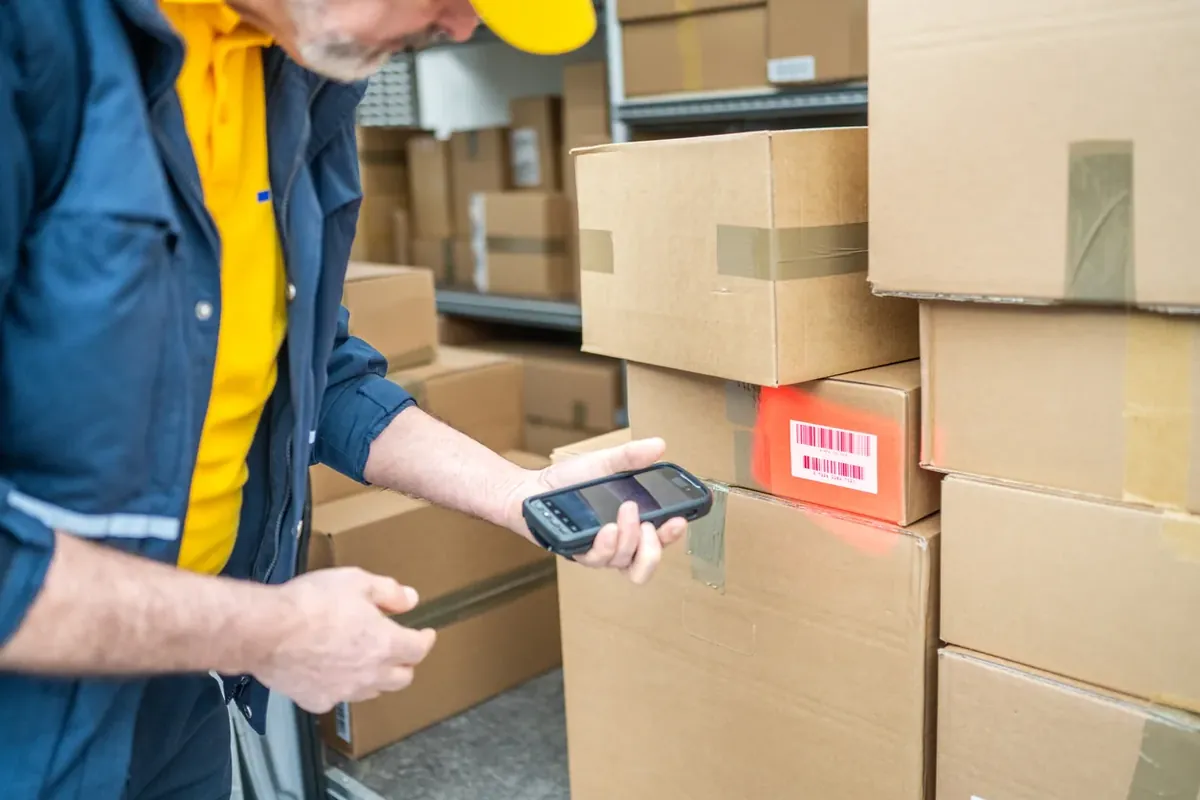
- Each scan is checked against something. A receipt should match the purchase order and, if the supplier sends one, the advance ship notice; a pick should match the order line. Software that checks the scan stops a wrong item before it becomes a transaction, and software that only records it gives you faster data entry.
- What does the handheld say when a scan fails? Demos usually show scans that go through. Ask what the screen shows when one is refused, and whether the operator can tell from it if the item, the quantity or the location is wrong.
- Plan labels and training into the project. The scan compares the label with the order, not with what is in the box, so a label that matches the order passes even when the box holds something else. Whoever sets up the barcode inventory system needs a labeling plan for every item and bin, and a named person to train the crew and check that every step gets scanned.
- Bring your device list to the first call: the model numbers of your scanners, tablets and printers, and how you plan to use each one. Choosing the hardware is a separate decision, and the post on choosing a barcode scanner walks through it.
In the warehouse system
- Does the handheld give the operator a bin? Software that names the bin before the pallet moves directs the work; software that waits to be told where it went only records it. Endpoint Cloud is one that directs: it tells operators where to put product based on rules you set.
- What does a scan at an unknown location do? Zones, aisles, racks and bins have to be defined before a scan can confirm stock in them. Is a scan at a location nobody set up refused at the handheld, or posted to a default or unassigned bin in the ERP?
- Lot and serial numbers travel from the label to the ERP. A scan records only what the label carries, so the label has to hold lots and serials in a form the software reads. Then ask whether the number reaches the ERP's lot record or stops in the warehouse system.
- Count variances post the way finance expects. Does a variance from a scanned count post as an adjustment straight away or wait for approval, and whose? An adjustment changes the inventory value on the books, which makes this finance's question at least as much as the warehouse's. For running the counts, see how continuous counting works on the floor.
In the ERP
Up to this point, everything has happened inside the building. The receipt now has to post to the ERP, and the ERP can refuse it.
- How does the receipt reach the ERP? Embedded and connected software get it there in different ways; with either kind, ask how often the data moves. Ask for the supported list by ERP name and version, and for QuickBooks name the edition too, because the answer can differ by edition. Endpoint Cloud's connection is to QuickBooks Online. If scans post in batches, which period does a receipt scanned late on the last day of the month land in?
- Each item is maintained once. If a product expects you to create and maintain items in its own system as well as in the ERP, you have two item lists, and someone has to keep them in agreement.
- Find out where a refused posting lands. I saw a line like the one at the top of this post at a chemical distributor where I ran systems, after a supplier changed its lot number format without telling anyone. The error list was one nobody in the warehouse could see and nobody in finance knew existed, so the drums were on the shelf and, as far as the books knew, never received. Ask who is told, and who clears it, by name or by role.
- What do the books show while a refusal waits? Is the stock missing from quantity on hand, and does the purchase order line stay open? Is the vendor's invoice held, because the receipt it should match never posted?
In the books
Once the receipt has posted, two checks remain. Ask both for the exact ERP or accounting edition you run.
- A scanned receipt arrives as a receipt. For inventory purchases, accounts payable matches the invoice to what was received, so ask whether the ERP gets a receipt against the purchase order line or only a change in quantity on hand.
- Receipts and adjustments carry who, when and where. Check that the ERP's transaction record for each one holds the user, the time and the location as well as the quantity. The audit walkthrough was the first thing to change at a machinery manufacturer where I worked, the year receiving started scanning: I could show who received what and when without calling anyone, though the counts themselves had not improved yet.
The question I would take to the next vendor call: if we scan a receipt against a purchase order someone closed yesterday, where is that receipt tomorrow morning, and who on our side fixes it?