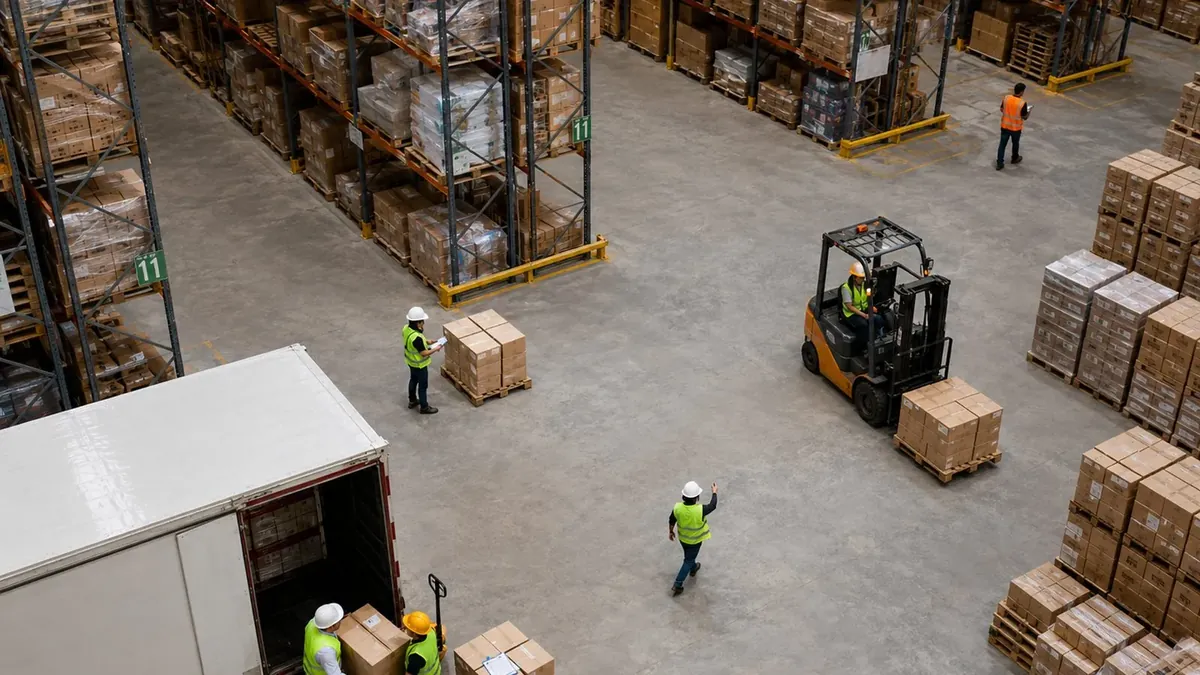
The ERP said the pallet was in the bin. The picker found the bin empty. We took that problem into three days of demos for a big warehouse system and watched labor standards, task interleaving, route optimization and wave planning. It was good software. We still drove home on day three not knowing why the ERP and the bin disagreed.
Shop for enterprise warehouse management software and the shortlist splits in two: systems built for huge distribution centers, and systems that sit on the ERP you already run. Sooner or later somebody in the room asks whether you should "go enterprise" so you never outgrow it. Fair question.
Going enterprise generally means buying a tier 1 system, and tier 1 is built to optimize very large operations, usually ones with a lot of labor or a lot of automation. The mid-size warehouses I have worked in needed accuracy first. You get accuracy by scanning each step as it happens, and a WMS on your ERP does that without a tier 1 project.
What is an enterprise warehouse management system?
An enterprise warehouse management system, often called a tier 1 WMS, is software built to run and optimize large distribution operations. It is expected to plan waves of work, balance people and automation, set labor standards and forecast staffing, and to share one platform with other supply chain applications.
The word "enterprise" doesn't help, because it's on everything. ERP stands for enterprise resource planning, so every ERP already has the word in its name. QuickBooks Enterprise is a desktop accounting product. When people say "enterprise" while shopping for a WMS, in my experience they mean tier 1. That's how I use it here.
If you want the wider map, Endpoint has a page on the types of warehouse software and more posts on choosing a warehouse management system. This one sticks to a single decision: tier 1 or not. If your ERP vendor sells its own tier 1 warehouse system, that is a different decision, and not the one this post covers.
Enterprise WMS vs a WMS that runs on your ERP
| Enterprise (tier 1) WMS | WMS that runs on your ERP | |
|---|---|---|
| Built to | Optimize labor, travel, automation and packing across a large operation | Direct and check the floor work so the ERP matches the shelves |
| Adds on top of the basics | Warehouse execution, wave planning across automation and labor, task interleaving, order streaming, labor standards and forecasting, pack optimization | A scan check at each step, lot and serial tracking, pack verification |
| Relation to the ERP | Designed as one platform with other supply chain applications sharing master data | Runs inside the ERP, or connects to it and sends transactions back |
| Fits | Very large distribution centers, heavy automation | Distributors and manufacturers whose ERP stays at the center |
Both kinds direct receiving, putaway, picking and counts. The difference is what sits on top. Tier 1 is bought to squeeze labor and walking out of a big operation. The right-hand column is about something duller: getting every receipt, move, pick and count into the ERP correctly. So which problem is costing you money right now, too many steps or wrong numbers?
What a tier 1 WMS adds
Steve Banker of ARC Advisory Group listed what a tier 1 system should include in Forbes in July 2024. He wrote ARC's study of the WMS market that year. Here is his list, put the way I would explain it to a shift lead:
- Warehouse execution. One system balancing work across automated equipment and the people working beside it.
- Wave planning. Batching several tasks into a wave of work so people walk less.
- Task interleaving. Giving a worker a second job on the way. Say a slot hasn't been counted in a while and the picker is already standing at it; the system has them count it.
- Order streaming. Small e-commerce orders drop to the floor as soon as they arrive.
- Route optimization. Steering workers through congested aisles.
- Engineered labor standards. A target pace for each task, and the base a labor management system is built on.
- Labor forecasting. How many people tomorrow's work will need, or next week's.
- Pack optimization. Filling shipping containers efficiently.
Every item there optimizes work. Each one pays off mainly when the operation is big enough, or labor-heavy enough, for small gains to add up. Banker adds a point about architecture: a tier 1 system should be one platform, sharing master data with other supply chain applications. For a big enough building, I buy it.
When an enterprise WMS is the right call
A friend of mine runs a high-volume e-commerce building with hundreds of people on the floor and automation working alongside them. Tier 1 is the right call there. I told my CFO as much, right before I told him why it was the wrong call for us.
Look hard at tier 1 if you recognize your building here:
- You run robots, conveyors or sorters alongside people, and you need one system to share the work between them.
- Labor is the biggest cost you can control, and you are ready to run labor standards and forecasting.
- Large volumes of small e-commerce orders have to reach the floor as they arrive.
- Walking and crowded aisles slow you down more than bad counts do.
- Your buildings are very large, with many people working at once, and you can staff a team to run the system after go-live.
When a WMS on your ERP fits better
Mine never looked like that. The buildings I have worked in looked more like this:
- The ERP or accounting system (Sage, Acumatica, NetSuite, QuickBooks Online) is staying, and finance trusts it for the books.
- There is one building, or a handful.
- The crew works on handhelds, not next to a fleet of robots.
- The costly problems are recording problems: counts that don't tie out, moves keyed in hours later, the wrong lot shipped.
None of those is an optimization problem. A perfectly planned wave still ships the wrong lot if the system thinks the wrong lot is in that bin. The fix is plainer, and it makes a worse demo: making the shelf match the system. On the floor, that means scanning each move when it happens and checking the scan against what the system expected. Then you count without shutting the building down and catch whatever slipped through anyway.
A second or third building doesn't push you to tier 1 on its own, either. If you are running inventory across more than one warehouse, ask every vendor whether adding a warehouse is a setup change or a second project.
For the record, Endpoint, which publishes this blog, sits in this column. It makes warehouse software for distributors and manufacturers who are keeping their ERP. Endpoint for Sage and Endpoint for Acumatica run inside those ERPs, and Endpoint Cloud is warehouse software that sends clean data back to your financial system.
Questions that settle it
1. Is your costliest problem optimization or accuracy?
If the numbers are wrong, optimizing the work built on them won't fix them. On our second ERP go-live I made us walk every receiving and picking step on the floor before cutover. The bin labels did not match the bin names in the system. We found that with a week to spare instead of a week late, and what found it was two of us walking the aisles with a printed bin list.
2. How much of the supply chain do you want on one platform?
A tier 1 platform is meant to share master data with other supply chain applications. If the ERP is the only other system you run, you would be buying architecture you won't use. Either way, ask each vendor which system will own the item master and the inventory value after go-live. Then ask who reconciles the two when they disagree.
3. Do you run automation that has to share work with people?
That is the warehouse execution job: splitting work between robots, conveyors and the people beside them. It's the strongest reason I know to look at tier 1.
4. Who will run the system after go-live?
Ask each vendor how long the project runs and who runs the system once it is live. Then ask which people on your payroll that would be, by name.
5. Which tier 1 features would you switch on in year one?
Go down Banker's list with a pen. If you would honestly switch on one or two, ask which of the rest are separate modules and what you would pay for them.
Frequently asked questions
What are WMS tiers?
WMS tiers are industry shorthand. No standards body defines them. Tier 1 means warehouse systems built around complex optimization for large operations, such as warehouse execution across automation and people, labor standards and labor forecasting. Tier 2 systems carry a moderate amount of that functionality. ARC Advisory Group's Steve Banker, writing in Forbes in July 2024, also refers to legacy or tier 3 systems. Compare the features a vendor offers rather than the tier it claims.
How much does an enterprise WMS cost?
I haven't found a neutral source that publishes a price for an enterprise WMS. The figures online come from vendors and consultancies, and I wouldn't stand behind any of them. My habit is to ask every vendor for licenses, sites, integration and services as separate lines, in writing, before comparing prices.
Can you outgrow a WMS that runs on your ERP?
Yes. If you start running robots or conveyors alongside people, labor becomes your biggest controllable cost, or small e-commerce orders arrive in large volumes, a tier 1 system can become the better fit. A connected WMS can also stay in place if you change ERPs later, as long as it connects to the new one.
Does an enterprise WMS take over from the ERP?
No. Even a tier 1 WMS leaves the financial record of your inventory in the ERP. The WMS runs the physical work: it records what was actually received, moved, picked and shipped, and keeps the ERP up to date.