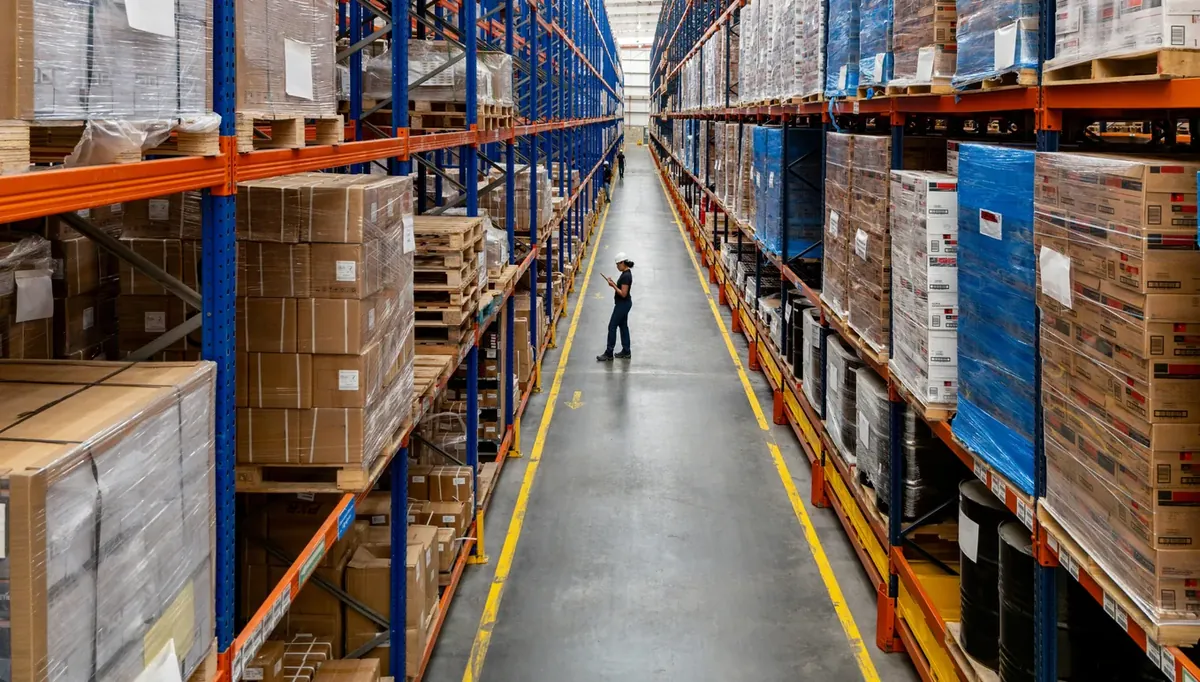
Second shift, aisle 14. A picker has a ticket for twelve cases and finds four in the bin. The bins on either side are empty. At the end of the aisle sits a shrink-wrapped pallet with OVERFLOW written on the wrap in marker, and the other eight cases are on it. The system has never heard of that pallet, but the lead has: he parked it there on Tuesday.
The eight cases were in the building all along, on a spot with no address. On the floors I have worked, that is most of what warehouse inventory management comes down to: every unit has an address with a label on it, and the crew trusts those labels enough to use them.
Warehouse inventory management is tracking what is in a warehouse and exactly where it sits, and recording every receipt, move, count and shipment against a location so the system matches the shelf. If Sage, Acumatica or QuickBooks holds your numbers and you are working out how to manage warehouse inventory around it, the practices below run in the order stock moves, from the dock to the count. More floor-side posts sit under warehouse operations.
Before you walk the floor, name every place stock can sit
To organize warehouse inventory, give every place stock can sit an address. Define zones, aisles, racks and bins in the system, then hang a label on every one of them. GS1 US starts from the same place: unique identification for products and locations, so you can track where inventory is as well as how much.
Then add the places nobody calls storage: receiving lanes, staging lanes, the cage where returns wait, and the spot by the dock door where overflow ends up. If stock can sit somewhere for a shift, that spot gets a name in the system and a label on the floor. And make the labels barcodes, so the operator scans the bin instead of typing its number.
1. At the dock, receive into a named lane
Check the truck against the purchase order before anything leaves the dock. (Accounts payable has its own stake in that check: the three-way match.)
Then receive it into a location. A pallet that is received but not yet put away is still somewhere, say lane 2 by door 4, and when the system shows it there, nobody hunts the shelves for it. Put a license plate on each pallet as you receive it: one barcode label that identifies the pallet, so the system can track it with one scan.
Lot and serial numbers get captured here too, while the case label is right in front of you. Where lots or expiry dates matter, that capture is what lets the pick enforce first in, first out (FIFO) or first expired, first out (FEFO), because the system can send the picker to the right lot's location rather than the closest one. GS1 barcodes for lot and serial tracking covers what the case labels carry.
What to watch: receiving in the aisle. On a heavy day the dock fills up and product gets received wherever there is floor space. The system says receiving lane, the pallet is somewhere else, and nobody finds out until the putaway driver goes to the lane and finds it empty. If that happens every week, the dock is short a spot. Another lane can cost a bay of racking or a dock position; if you can't spare one, at least name and label the place overflow ends up.
2. Putaway: send product to a bin and scan the bin
At one plant I managed, our fastest putaway driver had a habit. When the assigned bin was full, he used the nearest empty one, and he always remembered where. Then he took a week off in July, and the rest of us spent it hunting. He was the best driver we had, and the system gave him no way to say a bin was full.
Directed putaway means the system tells the operator where each item goes, based on your rules. Systems differ in how much of that they do: some choose the bin, others only log the one the operator chose. Either way, the operator scans the bin label as the product goes in, so the record shows the bin the stock went into, not the one it was meant for.
What to watch: the full bin. Operators need a way to report it, and the system needs to know which bin to use instead.
3. Keep pick-face labels the crew believes
Pickers give a label about two chances. After that they pick from memory, and memory holds up fine until the person who has it calls in sick.
The first sign I learned to look for was a handwritten label: a torn one, patched with tape and marker. A scanner can't read marker, so people type the bin number, and that is where the typos start.
Replenishment from reserve to the pick face is a move like any other. Scan it out of reserve and into the pick bin. At the pick itself, the picker scans the bin and the item; what that scan catches is in our post on why mispicks happen. At the pack station, scan every item again before it goes in the box.
What to watch: two labels on one bin. It happens after a relabel, when taking the old labels down is nobody's job. I used to pull the old ones myself, the same day, because pickers will pick from whichever label they see first.
4. Staging lanes need names too
A staging lane is storage for an hour or a day, and it needs an address like any bin. When an order is staged, scan the lane label so the system knows which lane it is in.
I learned why in a building where I was the inventory control manager. We counted the cooler every week, and it was wrong every week, in a different way each time. The counting itself was fine. What threw it off was product moving between the cooler and the staging lane, which was not a location in the system, so a move into it had nowhere to go on record. We gave each lane a name and a label.
What to watch: the hot order. A rush comes in, somebody pulls cases off an order that is already staged, and now that order is short with nothing in the system to say so. My rule was blunt: nobody pulls a case off a staged order without scanning it off.
5. At count time, count by location
Cycle counting means counting small parts of the inventory often, instead of everything at once. Modern Materials Handling described it in 2017 as having evolved to replace the annual or quarterly physical inventory that shut the building down, and the advice in that article still holds. Count when it is easy: when a location is low or empty, or off-shift. And trigger a count whenever putaway or picking records an exception, such as a shortage.
How often? I can't give you one number for every building. Over a year, every part of the warehouse should get counted enough times to keep the record accurate and satisfy your audits. The cycle counting post lays out a workable schedule.
When a count came up short, I walked the neighboring bins before I adjusted anything. Short counts are often the right units at the wrong address, one bin over or on an overflow pallet at the end of the aisle. Adjust the quantity first and the record says those units are gone while they sit on that pallet, so fix the location first, then the number. Late recording is the other common cause; our post on cloud inventory management covers it.
What to watch: a count sheet built by item. It sends counters only to where the system already expects the stock, so it would never have found the pallet in aisle 14. Build the sheet from the location list instead, with the overflow spots and staging lanes on it.
Inventory management vs warehouse management
Inventory management is what you have and when to reorder it; GS1 US defines inventory management as tracking the movement of your products and monitoring available quantities based on demand, which feeds decisions about when to order and how much. Warehouse management is where it is and what happens to it next.
| Inventory management | Warehouse management | |
|---|---|---|
| Answers | What do we have? When do we reorder? | Where is it? What happens next? |
| Records | Quantity on hand and cost; some ERPs add bins and lots | Bin and lot, plus who moved it |
| Usually lives in | ERP, accounting or inventory software | A WMS inside or connected to the ERP |
| Used mostly by | Office, purchasing, finance | The floor |
The ERP or accounting software keeps the books on inventory: items, quantities and costs. Say it shows 40 units of a part. It can't tell you which shelf they are on unless somebody recorded the bin they went into; it records what it is told.
Warehouse inventory control is the receiving, putaway, picking and counting that change that 40. A warehouse past paper usually runs a system for each side: the ERP for the books, a WMS for the floor. A second building brings its own problems, covered in what changes when stock lives in two places.
Where software fits in warehouse inventory management
Warehouse software works at the level of each receipt, move, pick and count, and captures each one with a scan; the ERP keeps the totals. Paper and a spreadsheet beside the ERP work for a small operation up to a point, and volume sets the point. When I walk a floor and see bins patched with marker and overflow only one person can find, that point has usually come and gone.
Endpoint Cloud is one example of software that handles location management and continuous cycle counting: you set up zones, aisles, racks and bins, count them continuously, and the results go back to your financial system. What software adds to the ERP, and which ERPs each Endpoint product works with, is covered on the warehouse inventory software page.
Where to start
Take the aisle your pickers complain about most and walk it with a handheld, scanning every bin label. Any label that won't scan gets replaced today. Anything sitting in that aisle outside a bin gets a bin and a label, including the pallet at the end. Then count the aisle by location.