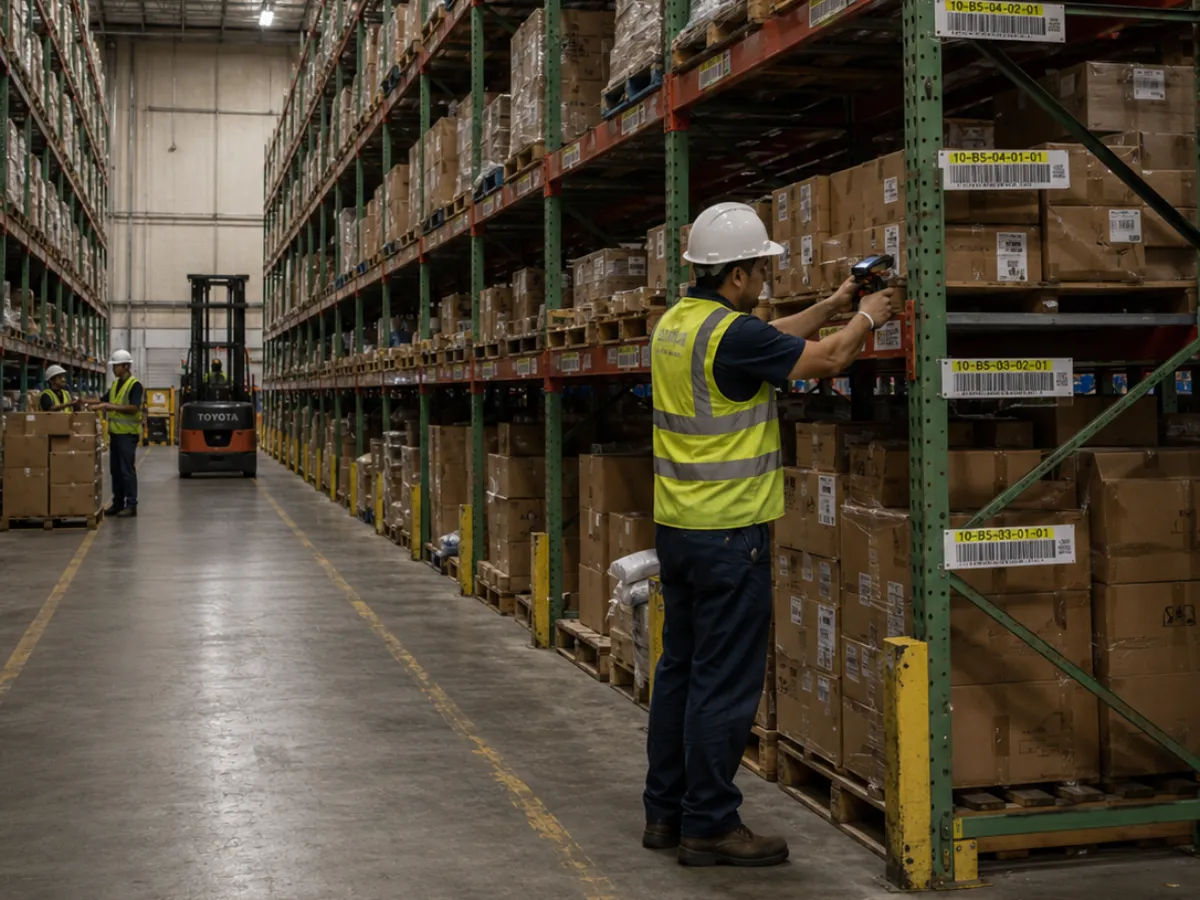
Many lists of warehouse automation put a barcode scanner, a warehouse management system and a robot side by side. They don't do the same job. One automates the record of what happened, one automates the decision about what should happen next, and one automates the physical movement of goods. Telling them apart is the first step in deciding what to buy, because each layer depends on the one beneath it.
This guide is the starting point for Endpoint's posts on warehouse automation and AI. Each layer below links to the posts that cover it in more depth.
What is warehouse automation?
Warehouse automation is the use of technology to do warehouse work that people would otherwise do by hand: recording what moved, deciding where it goes next, and physically moving, storing or sorting it. MHI, the material handling industry association, describes material handling as covering "manual, semi-automated and automated equipment and systems", and its design guidance expects all three to work together in one facility.
An automated warehouse doesn't have to mean robots. A barcode scan that records a receipt is automation. So is a system that tells a picker which bin to go to. Robots and conveyors sit at the far end of the same range.
The three layers of warehouse automation
| Layer | What it automates | Examples | What it needs underneath | The sign you need it |
|---|---|---|---|---|
| Record | Capturing what happened | Barcode and RFID scanning, mobile computers, label printing | Labeled items and locations | Counts and receipts entered from paper, after the fact |
| Decision | Directing the next task | A WMS directing putaway, picking and counts; wave and batch picking | An accurate record of stock by location | People decide where things go, and the answer depends on who is working |
| Motion | Moving, storing and sorting goods | Conveyors, sortation, pick-to-light, AGVs and AMRs, AS/RS, robotic palletizers | Directed work and clean data to act on | Walking, lifting and travel time limit throughput, even with accurate data |
The layers stack. A conveyor can carry a carton to the right lane only if something knows which carton it is and where it should go. A system can direct a picker to a bin only if the bin's contents are recorded correctly. That's why the cheapest-looking layer is often the first one to buy.
Layer 1: automating the record
MHI groups barcodes and RFID under automatic identification and data collection (AIDC), which it describes as "a family of technologies that identify, verify, record, communicate and store information on discrete, packaged or containerized items."
In a warehouse, this layer replaces the clipboard. A receiver scans the case label instead of writing down the item and quantity. A picker scans the bin and the item instead of ticking a pick sheet. A counter scans a location instead of keying a count into a spreadsheet at the end of the shift. The work is the same; the record is created while it happens, by the person doing it.
What this layer needs is labels. Items, cases, pallets and locations all need a barcode the scanner can read, and the data behind each label has to be right. Our posts on barcode inventory software, RFID vs barcode, mobile computers vs smartphones and label printing software cover the choices in this layer.
Layer 2: automating the decision
MHI describes a warehouse management system (WMS) as "execution software" that "manages people, inventory, time and equipment for picking and processing customer orders", and that directs work from receiving and put-away through picking, packing and shipping.
This is the layer that tells people what to do next. Instead of a receiver choosing a shelf, the system assigns a bin. Instead of a picker working down a paper list, the system groups orders into a pick run and sends the picker along it. Instead of a quarterly count that shuts the building, the system schedules a few locations a day and flags the ones that disagree.
The decision layer is only as good as the record underneath it. A system that directs a picker to a bin is guessing if putaway was never recorded. That's why it makes sense to buy layers 1 and 2 together. Our best warehouse management software guide sorts WMS products by the ERP they work with, the post on enterprise warehouse management covers when a large, tier 1 system makes sense, and cycle counting with barcode scanners shows the counting side.
Layer 3: automating the motion
This is the layer most people picture when they hear "warehouse automation". It covers equipment that physically moves, stores, sorts or handles goods, plus light systems that guide pickers to the right slot.
- Conveyors. MHI describes them as "horizontal, inclined or vertical devices" on which loads "ride atop rollers or a belt that travels along a fixed path". Gravity conveyors are the simplest kind.
- Sortation. A sortation system "merges, identifies, inducts and conveys products to specific destinations", working with conveyors, automatic identification and controls.
- Pick-to-light and put-to-light. Lights at each location guide a picker to the right slot and show the quantity. In MHI's description, the picker starts by scanning a barcode for the order, so even this layer leans on the record.
- AGVs and AMRs. Automatic guided vehicles are, in MHI's words, load carriers that "travel along the floor of a facility without an onboard operator or driver". Autonomous mobile robots use sensors such as LiDAR and cameras and "can move independently of any tracks". MHI notes that the line between the two is blurring.
- AS/RS. Automated storage and retrieval systems are "computer-controlled systems that automatically place and retrieve loads from set storage locations". They range from unit-load machines for large loads, usually 1,000 pounds or more and typically on pallets, to mini-load systems for lighter loads, and they include vertical lift modules.
- Robotic arms and palletizers. Industrial robots handle repetitive tasks such as building a pallet in a defined pattern.
Motion equipment needs its own control software. MHI's software overview describes a warehouse control system (WCS) as software that "provides device control for automated materials handling equipment, including conveyors, sorters, carousels, AS/RS, mini-load, and industrial robots." Our post on warehouse control systems vs WMS explains how the WCS, the WMS and a warehouse execution system (WES) stack, and when you need each. The post on AI-ready warehouse data covers what robots and AI tools need from the layers beneath them.
Types of warehouse automation, by layer
The same technologies show up under different names in vendor lists. Sorted by the layer they belong to:
| Type | Layer | Moves goods? |
|---|---|---|
| Barcode scanning and mobile computers | Record | No |
| RFID | Record | No |
| Label printing | Record | No |
| Warehouse management system | Decision | No |
| Wave and batch picking | Decision | No |
| Pick-to-light and put-to-light | Motion (guides people) | No, it guides the picker |
| Conveyors and sortation | Motion | Yes |
| AGVs and AMRs | Motion | Yes |
| AS/RS and vertical lift modules | Motion | Yes |
| Robotic picking and palletizing | Motion | Yes |
| Warehouse control system | Runs the motion layer | No, it directs equipment |
How to automate your warehouse
- Find the bottleneck. Walk one order from receipt to shipment and note where time and mistakes go. Recording problems (wrong counts, missing receipts) point to layer 1. Decision problems (people hunting for stock, uneven pick runs) point to layer 2. Travel and handling (long walks, heavy lifts, a dock that can't keep up) point to layer 3.
- Label everything that moves and everywhere it can sit. Items, cases, pallets and locations.
- Capture each step by scan. Receiving, putaway, moves, picking, packing and counts.
- Let the system direct the work. Putaway rules, pick runs and scheduled counts.
- Measure the floor again. With a reliable record and directed work, whatever bottleneck remains is easier to see, and it may well be physical.
- Mechanize that bottleneck. Buy the motion equipment that removes it, sized to the volume you measured, with the control software it needs.
For buildings that do go to layer 3, MHI notes that "consultants and system integrators provide engineering services to design and implement a complete handling process." Step 6 is rarely a catalog purchase.
What warehouse automation costs
There is no neutral price list for warehouse automation, and any single figure would mislead because the layers differ so much. What drives the cost:
- Layer 1: devices, printers and labels per user and per location, plus the software that records the scans.
- Layer 2: WMS licenses or subscriptions, setup of locations and rules, and the connection to your ERP.
- Layer 3: equipment, installation, building changes, control software and integration. These are usually quoted as a project.
Ask every vendor for software, hardware, installation and services as separate lines, in writing, and ask what happens to the price when volume grows.
When motion automation is the right first purchase
Most warehouses should start with the record and the decision. There are exceptions.
If you are designing a new building, the conveyors, racking and storage machines are part of the building plan and can't easily be added later. If your volume is concentrated in a small number of fast-moving items, picking technology fits well: MHI says these systems "work best for the relatively small number of (approximately 20%) that account for a high percentage of daily order volume (approximately 80%)." And if the work is heavy, dangerous or repetitive enough that people shouldn't be doing it, MHI describes industrial robots as suited to "dangerous, dirty and/or repetitive tasks".
Even then, the equipment needs to know what it is moving. Plan the record and the decision layers alongside it, not after.
Where Endpoint fits
Endpoint Cloud works in the first two layers. It captures receiving and picking by barcode scan, validates inbound shipments against purchase orders and advance ship notices, tells operators where to put product based on your rules, groups orders into wave and batch picks, and has operators scan every item at the pack station. Endpoint doesn't sell robots.
Common questions
Is warehouse automation only for large warehouses? No. Scanning and a WMS are automation, and they suit a single building with a handful of people as well as a large distribution center. Motion equipment is where size starts to matter, because it has to be justified by volume.
What is the difference between a WMS and a WCS? A WMS directs people and inventory. A WCS controls automated equipment such as conveyors, sorters and storage machines. Buildings with motion equipment often run both, with the WMS deciding what should happen and the WCS making the machines do it.
Is a barcode scanner really warehouse automation? Yes. It automates the record: the scan captures what happened at the moment it happened, without anyone keying it in later. It's the layer every other layer depends on.